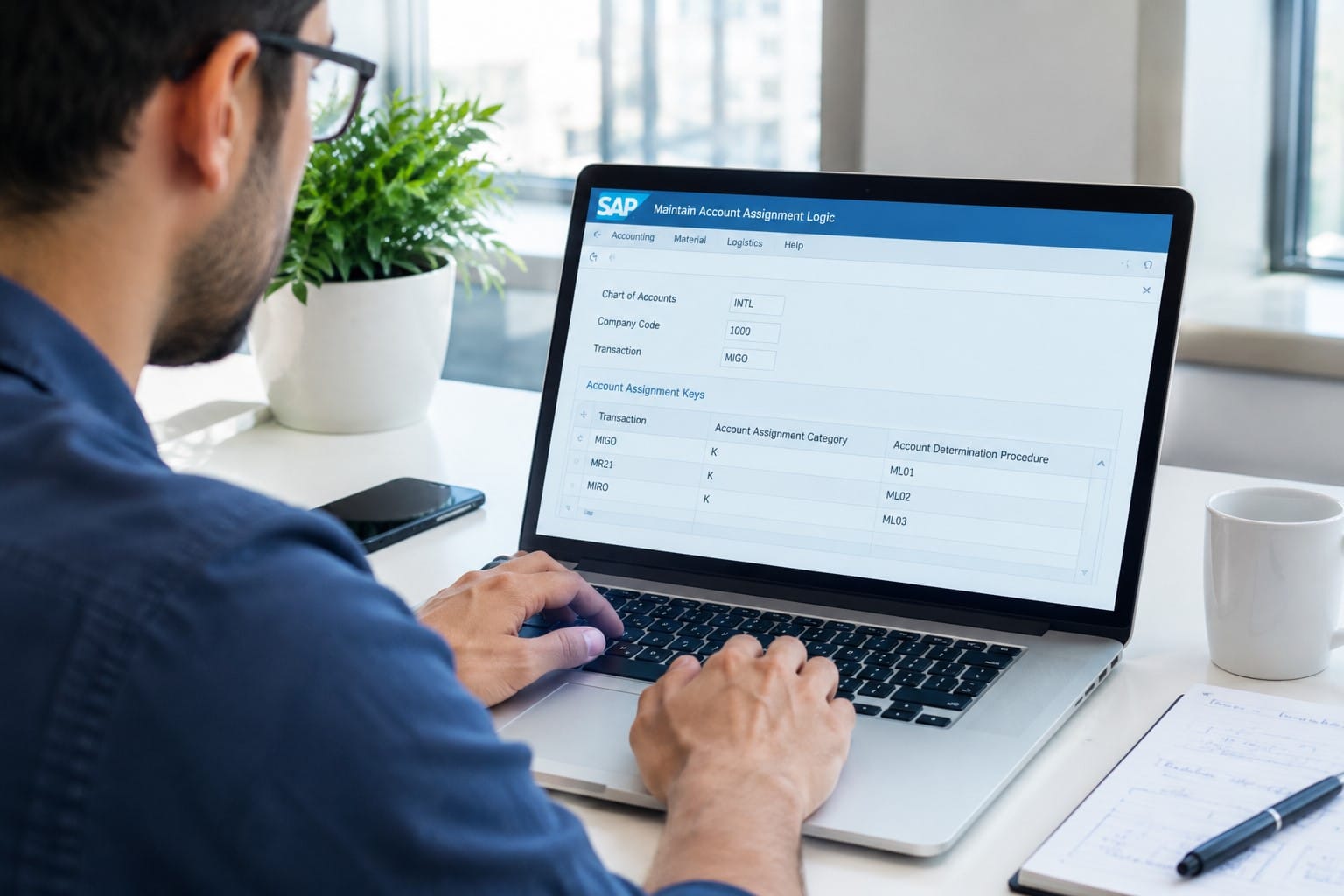


How Does SAP MM Release Strategy Work for Purchase Requisition and Purchase Order Approvals?
Ever submitted a purchase requisition, and paused to wonder why it’s not approved yet? Ever submitted a purchase order, and seen the status says “blocked” – and wondered who it’s waiting on? You’re not alone. Almost every beginner SAP MM user will come up against it – sooner or later. The good news is that the trick behind it, called the release strategy, is nowhere near as complicated as it looks. Think of it as a machine that makes decisions on who approves what, according to rules that your company sets. In this blog, I’ll take you through how it works, in plain, straightforward terms.
What Is a Release Strategy and Why Do Companies Rely on It?

A release strategy is SAP’s standard approval procedure for the purchasing document. When the purchase requisition (PR) and purchase order (PO) are created, SAP compares them to specific conditions – value, material group, plant, purchasing group, etc. If the conditions are satisfied, it is blocked until the appropriate personnel approve it.
Businesses use it to set restrictions on how much staff can spend, to restrict unauthorised purchases and to provide a record for auditors. A 5,000 order for stationery might require only the approval of the team leader, whilst a 50 lakh machine might require a series of senior approvals.
The Key Building Blocks of an SAP MM Release Strategy
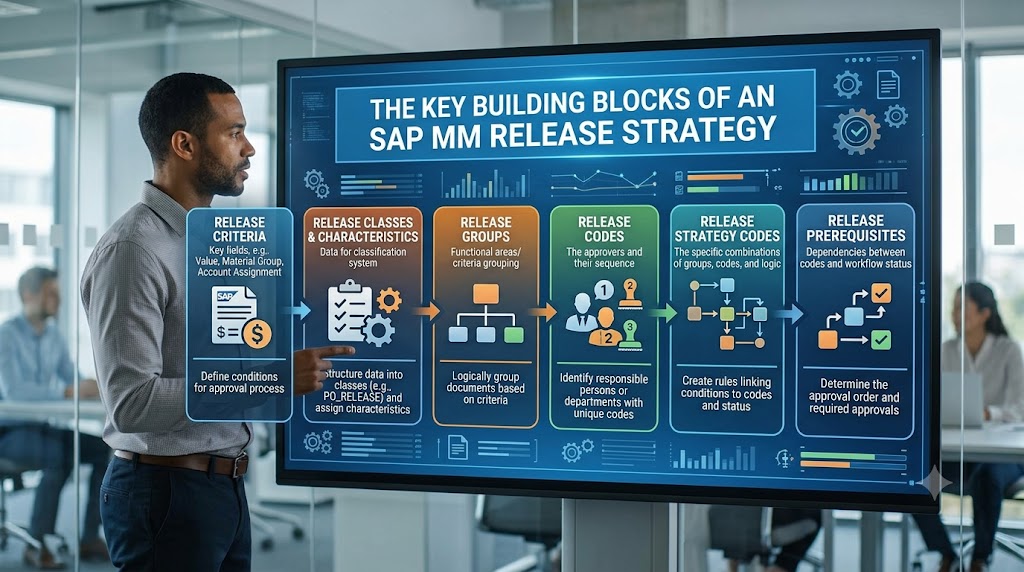
An overview of the components you should know before you can log in or make adjustments to it.
- Attributes: Conditions that activate acceptance, like value, plant or document type. These are created via the transaction CT04.
- Classes: A class (type 032) contains the attributes. It is defined in CL02.
- Release group: connects the strategy to a class and makes a decision on whether it applies to POs or PRs.
- Release codes: The role of the approver(s) (e.g. L1 – Manager or L2 – Director).
- Release indicators: also demonstrate the status of the document (blocked, released, changed).
- Release Strategy: Combines everything: which codes need to approve what, and in what sequence.
If you take anything away, let it be this: Properties determine when approval is needed, and release codes determine who approves it.
How Release Strategy Works for Purchase Requisition Approvals
There are two ways to use pr release: item level and header level. Item level is generally used because every line item has an approval route.
Here’s what actually happens:
- A user creates a PR in ME51N.
- SAP reads the item’s values (account assignment, material group, value, plant) and matches them against the classification of the release strategies.
- If a strategy matches, the PR is saved as blocked.
- Approvers release it in ME54N (individual release) or ME55 (collective release).
- Once every required code has been approved, the PR is released and can be converted into an RFQ or PO.
How Release Strategy Works for Purchase Order Approvals
PO release is in a similar manner but it operates at the header level. It compares the combined total value of a PO against the purchasing group, document type and so on. Once a PO is created in ME21N, it remains blocked, cannot be printed, or sent to the vendor, until it is released.
Collectively release in ME28 or open the PO and release it in ME29N. The SAP release will be reset and then reopened if a successfully approved PO has been altered by configuration beyond the set tolerance, e.g. a higher number.
Common Release Strategy Mistakes to Avoid
- Conflicting value ranges: If strategies match multiple documents, your expected document may not be selected.
- Missing attribute values: If there is an empty attribute value in classification, a strategy will not be found.
- Wrong release group assignment: Then this strategy does not get triggered for the right document type.
- Authorisation failures: The approver has the correct code but has not been granted the authorisation object M_EINK_FRG.
Doing these checks first can help you save hours of trying to figure out what’s not working.
Why Hands-On SAP Training Makes This Topic Easier

Release strategy is one of those subjects where the theory is just not enough. It all makes sense when you do the setup yourself, generate a blocked PO and see it getting approval in SAP systems. That’s the value of a good SAP training – practice on a live system, with real case studies and interview questions. If you are aspiring to a career in procurement or supply chain, choosing an SAP MM course which teaches release strategy end to end has a clear advantage, as it’s a common SAP MM interview question and consultants use it every day.
Conclusion
The SAP MM release strategy might sound a little intricate at the outset. However, if you think about it, the flowchart is fairly simple: specify the situation, communicate the approvals, and SAP regulates. In case it’s a purchase order or purchase requisition, SAP ensures the purchase receives the right approval ratings. If you want to learn this with real-world project-based learning, Nextnow provides SAP industry-focused training as well as an intensive, practical SAP course to build true consulting skills and couple that learning with SAP Certification to enable an SAP career.
FAQs
1. What exactly is a release strategy in SAP MM, and why do I need it?
It is like a gatekeeper for your buying. When a purchase requisition or purchase order agrees with your company is conditions, for example, value or material group, SAP controls it from continuing to process until your colleagues have given it the green light. Cost control and a trail of who approved it.
It’s like a gatekeeper for your buying. When a purchase requisition or purchase order agrees with your company’s conditions, for example, value or material group, SAP prevents it from continuing to process until your colleagues have given it the green light. Cost control and a trail of who approved it.
2. Why is my purchase requisition stuck and not converting into a PO?
Most likely it’s still in the approval process. If you created a release strategy while saving the PR, it is held up until all approvers have released it. Open the PR in ME53N, go to the release strategy tab to see who has approved and who is yet to be approved.
3. How do I know which approver needs to release my document?
Open the document and move to the release strategy tab. You will see the release codes, the approval status, and what is next. You can ask the SAP MM consultant or SAP MM administrator who holds a specific code if you are not sure.
4. What’s the difference between item-level and overall PR release?
When item-level release is used, each line item is approved individually – in this case, one item can be released and a second can be blocked. When overall release is used, the entire requisition is approved at the same time. Item-level is more popular as it offers more control.