

SAP FI General Ledger Explained: How Financial Accounting Works in S/4 HANA
Have you ever considered how such large corporations are able to manage and maintain accurate fiscal records globally with accuracy during month end closings? If you have transitioned from ERPs of the past, you understand the difficulties associated with reconciling …
Continuing on from previous: ledgers as well as waiting for numerous batch jobs to process and seeking data from various tables. The landscape has changed, and now General Ledger (GL) in SAP S/4HANA is no longer just a digital notebook but also the world’s fastest processing GL with operational capabilities of an entire corporation.
So, if you’re looking to advance your Accounting Profession, or are a student exploring an SAP Course, knowing the rights of “Day 1” for your accounting career will be having in-depth knowledge of the SAP FI General Ledger.
The Heart of the System: The Universal Journal
Historically, the worlds of Financial Accounting (FI) and Controlling (CO) were very different. If you wanted to have your internal management reports match the external financial statements, you had to work really hard to get them to agree. This is no longer the case thanks to the introduction of the Universal Journal, also called the Technical Table ACDOCA, with S/4 HANA.
The Universal Journal can be thought of as an all encompassing source of financial data; it integrates data from:
- General Ledger (GL)
- Asset Accounting (AA)
- Controlling (CO)
- Material Ledger (ML)
- Profitability Analysis (CO-PA)
Because all of this data is now stored in one location, there will no longer be a need to perform manual reconciliations at month-end. This is an enormous paradigm shift which has significant implications for how accountants use the system daily, and therefore is a very large focus of SAP Training.
Key Features of S/4HANA General Ledger
Transitioning to S/4HANA means moving beyond “Classic GL.” Here are the core pillars that make the new system so powerful:
1. Real-Time Integration
Batch processing has been replaced by a new way of doing business where every transaction involves a real-time update of the General Ledger, regardless of its type. As a result, CFOs have the ability to monitor and better understand their companys financial position and performance in real-time rather than having to wait until the end of the month when the company compiles its financial reports from all transactions that occurred over that time frame.
2. Parallel Accounting
Global businesses need to comply with multiple accounting standards such as International Financial Reporting Standards – applied worldwide, or Generally Accepted Accounting Principles – used within countries like the United States of America (US GAAP) and India (Indian Accounting Standards). Through Parallel Ledger functionality in the S4HANA software solution, organizations can easily meet this requirement by using a Leading Ledger to create their main financial statements incorporated into the respective local (Non-Leading) financial statements. Leading & Non-Leading Ledgers are kept in sync automatically at all times.
3. Document Splitting
This will change how reporting is done forever! Document Splitting permits reporting for the complete organization and for each Segment or Profit Center. For example, if you purchase equipment for two separate departments, with Document Splitting, the system will automatically split the tax and balance sheet line items between the two departments, allowing your department’s financial results to remain in balance.
Why You Need an SAP Certification in 2026
There is a huge increase in the need for experts who are familiar with all of these new types of architecture. Many companies are currently migrating their existing systems from ECC to S/4HANA and require consultants who are not just going to push buttons but think strategically about how to utilize these new tools effectively.
Having an SAP certification indicates your knowledge of the technical details behind both Universal Journal and the new Asset Accounting processes, as well as Fiori. This separates you from someone who is only a “user” and not also a “consultant”. If you are presently pursuing an SAP Education program, concentrating on your General Ledger configuration will position you better than anyone else in FICO.
SAP ECC vs. S/4HANA: What’s the Big Difference?
| Feature | SAP ECC (Old) | SAP S/4HANA (New) |
| Data Storage | Multiple tables (BSEG, GLT0, etc.) | One single table (ACDOCA) |
| Reconciliation | Manual FI-CO reconciliation required | No reconciliation needed (Single Source) |
| User Interface | SAP GUI (Traditional screens) | SAP Fiori (Modern, web-based apps) |
| Reporting | Based on totals and aggregates | Real-time, line-item level granularity |
How to Start Your Journey
No need to panic if you feel overwhelmed by the technical jargon; the majority of professionals take a full course of SAP that explains these terms and offers practical exercises. The first thing you do when you’re just starting with SAP is set up a Chart of Accounts, create ledger groups and post business transactions as they occur in the real world. Once you know how to use the General Ledger, it is like learning to speak a new language; then everything else (Accounts Receivable and payable and Controlling) will fall into place.
Conclusion
S/4HANA will be the biggest change in financial technology for many years. The move to a single source of truth with the Universal Journal allows SAP to get rid of the “clutter” of traditional accounting. This makes it easier for finance teams to concentrate on strategic rather than transactional tasks. If you want to lead the digital transformation, starting your SAP training now is the most intelligent decision you can make for your career.
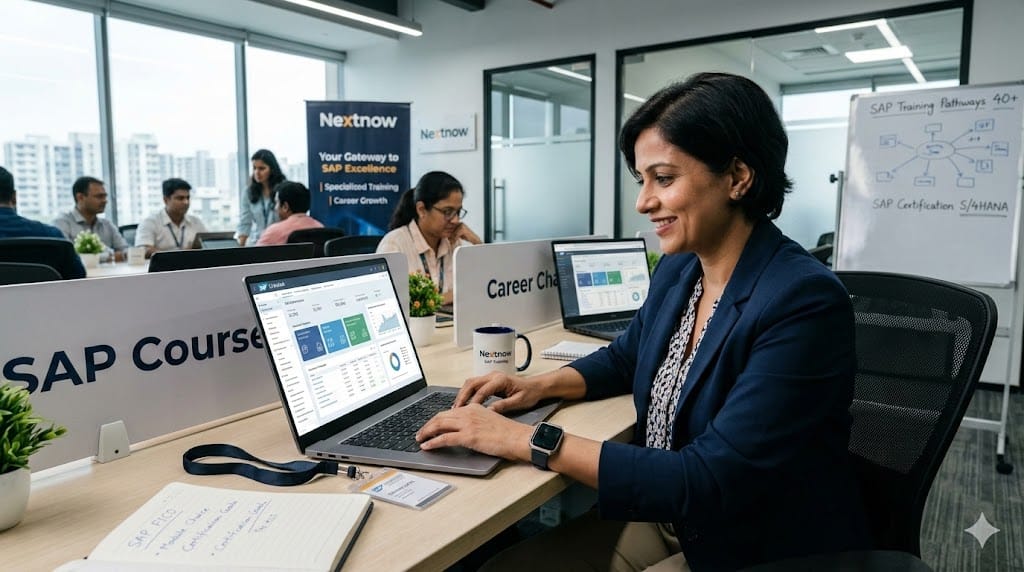
If you want to gain experience through hands-on projects and have access to industry-standard best practices, check out Nextnow. Their experts will help you progress from beginner to professional level and get you ready to earn your SAP Certification so that you will be competitive in the worldwide job market.
FAQs
I’ve heard about the Universal Journal. Is it really just one table?
In older releases of SAP, financial information was divided between many tables (such as BSEG, FAGLFLEXA, and COEP). With S/4HANA, essentially everything (General Ledger, Controlling, Asset Accounting and Material Ledger) can be kept in one table, ACDOCA.
For someone using the system this is a huge benefit because they no longer have to prepare reconciliation reports to verify that the FI and CO modules agree. Since these modules come from the same line item there will be an inherent agreement between them. “Single Source of Truth” is a key building block in any modern SAP Course.
Do I still need to perform month-end reconciliations?
You do not need to do as much as you used to with the introduction of the Universal Journal. The traditional reconciliation step between FI and CO is now removed. However, you would still continue to do the normal accounting process such as accruals, bank reconciliations, and year-end currency adjustments. The beauty of S/4HANA is that you will have visibility of your financial position throughout the month rather than waiting until the end of the month to discover an error.
Is the SAP GUI going away? Do I have to use Fiori?
Even though you can still utilize SAP GUI (the one with the T-codes) for S4HANA, SAP has designed S/4HANA to be operated via SAP Fiori – a web-based solution which is designed to be more modern than what we are used to with a traditional GUI or spreadsheet from the 1990’s.
In Fiori, users can utilize “Analytical Apps” which display Real-Time Graphs of GL Balances. If you are planning to get SAP Certification, then it is possible that part of your exam will include questions pertaining to both SAP GUI and Fiori Tiles in addition to traditional navigation within the back-end of SAP.
What is “Document Splitting” and why should I care?
With Document Splitting, anything that can be broken down to an individual line item (e.g., Taxes/Accounts Payable) will be automatically separated into its segments or Profit Centers when you make a payment. A great example would be making a $100 utility payment where the utility service was provided to 2 separate departments. When the payment is posted to the “Bank” Line Item, Document Splitting will also split the “Bank” Line Item according to how each department is assigned the utility cost. You thus have the ability to create a complete Balance Sheet by Department or Branch, not just for your entire company! Document Splitting is a very powerful piece that you will learn during SAP Training.